Millworker
Help / Drawings
 Copy Sheets
Drawing
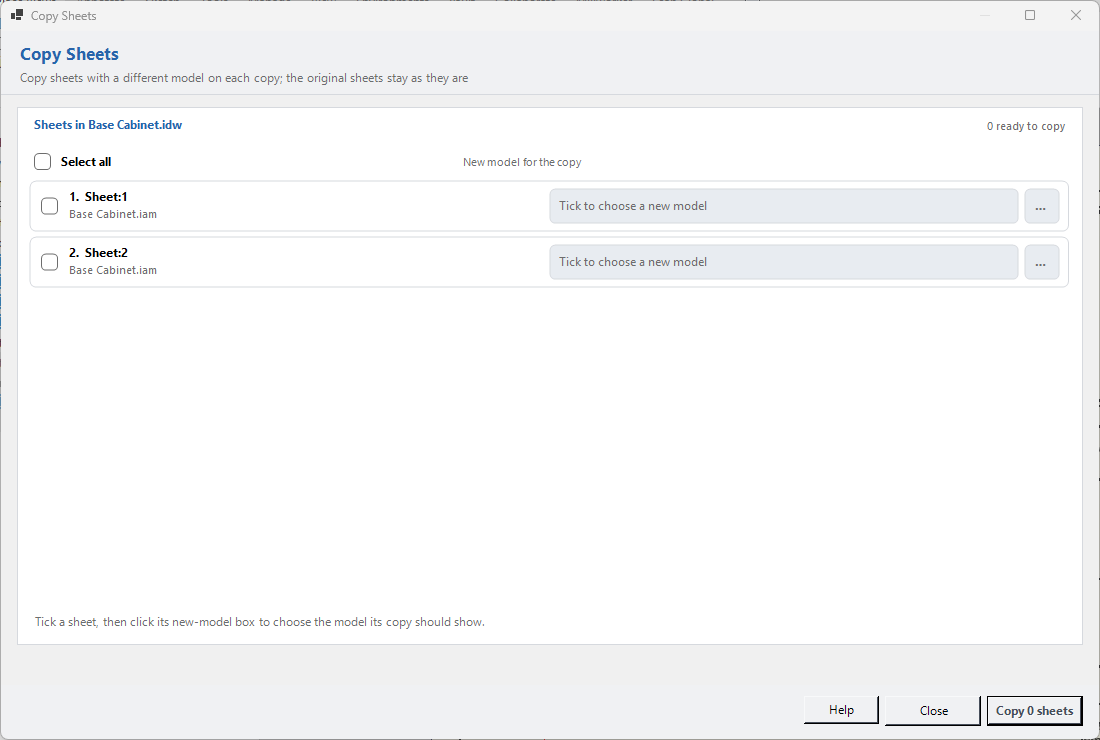
Copy sheets with a different model on each copy; the originals stay as they are.
Where
- Any drawing. Millworker tab → Sheets panel → Copy Sheets.
- Tick a sheet.
- Click its new-model box (or the … button) and choose the model, assembly or presentation its copy should show.
- Press Copy.
Each copy goes at the end of the drawing with its views showing the new model: dimensions, notes and layout come across from the original. The original sheets are never changed. A ticked sheet with no new model chosen isn't copied. Rows show how each copy went; a model that isn't a copy of the original can't always be swapped.
Screenshot placeholder
images/copy-sheets.png
1100 × 740 px
Copy Sheets with two sheets ticked and new models chosen.