 Millworker
 Parameter Manager
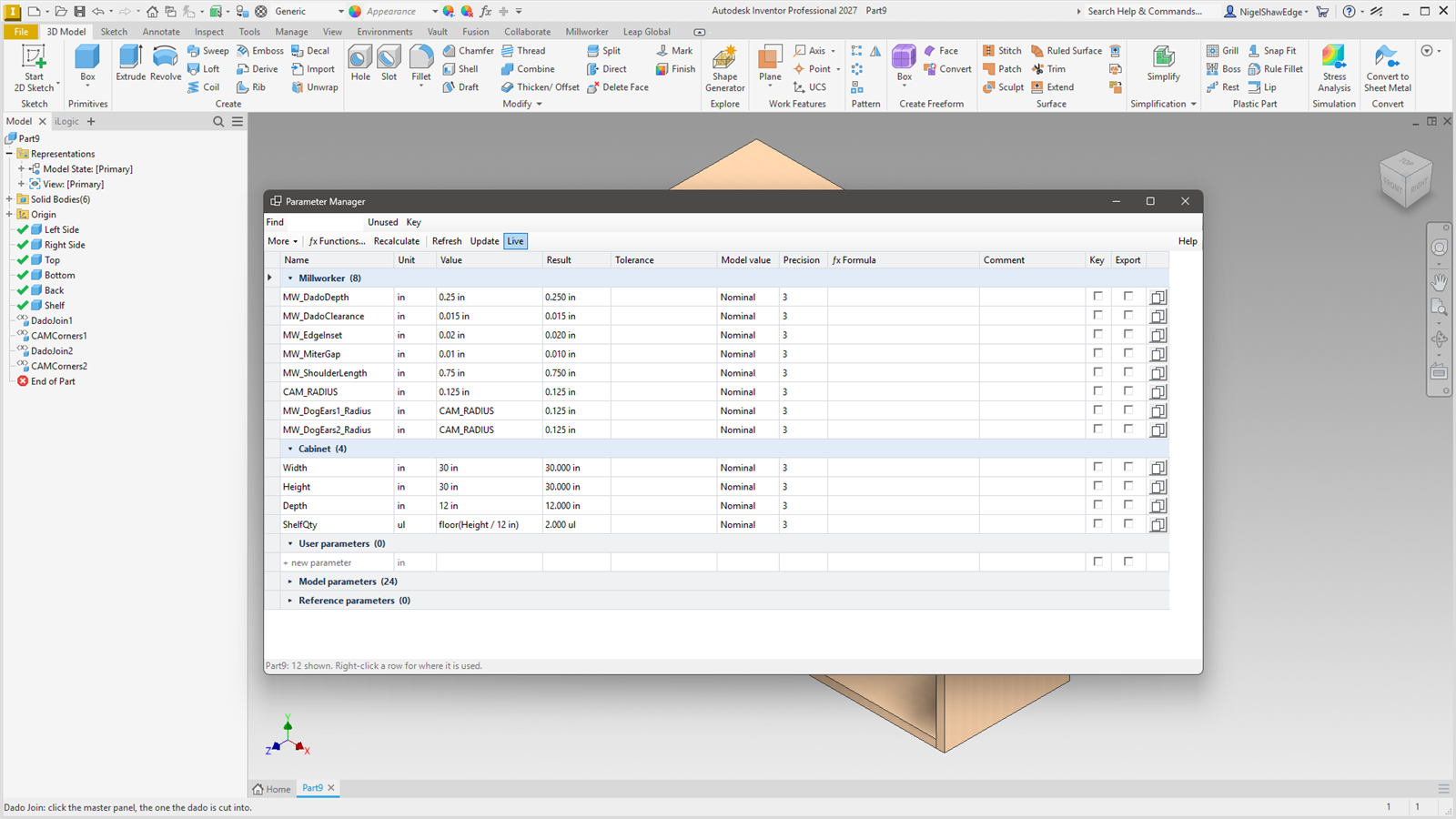
Every parameter with every column, groups, lists, tolerances, checking as you type, and more.
- Tools panel → Parameter Manager, or from the side bar. A window of its own that floats beside the model and stays open.
Columns
Name, Unit, Value (its expression; a list parameter's is a drop-down), Result, Tolerance, Model value (Nominal, Upper, Lower or Median), Precision, ƒx Formula, Comment, Key, Export and the copy button. The name stays in view as the columns scroll.
Checking as you type
A name, value, formula or tolerance that will not do turns red as it is typed, the reason shows on the status line, and it cannot be finished (Tab and Enter wait; Esc puts it back). Names follow Inventor's rules.
Groups
Each custom group (Millworker's among them) has its own header row, then the user parameters in no group, the model parameters and the reference parameters (these two start folded). Click a header to fold it. Drag rows by their left edge onto another group to move them, or within a group to reorder them.
New parameter in one row
The last row of User parameters ("+ new parameter"): type the name, Tab to Unit, Tab to Value.
Keyboard
Cells edit as you reach them; Tab goes Name → Unit → Value. In Unit, an arrow key opens the list and Enter picks.
Right-click and More
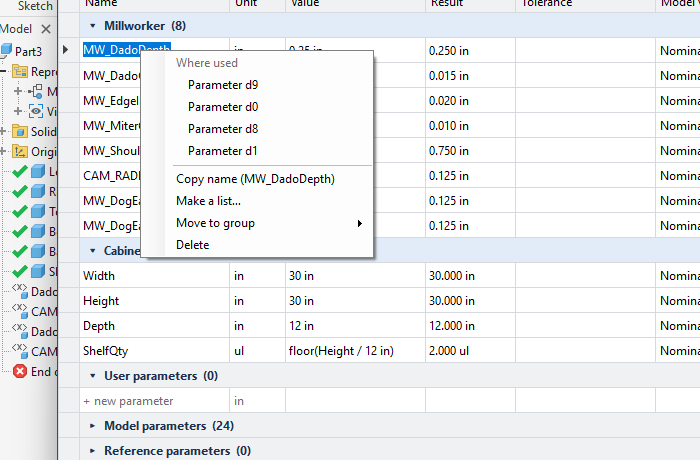
- Where used lists what a parameter drives (and what drives it); click one to select it in the model.
- Make a list… / Edit list…: one value per line; Not a list makes it plain again.
- Copy name, Move to group, Delete.
- More: Set value (
{x}is each one's own), Scale or Offset several at once; new, rename and delete groups; fold all; delete unused user parameters; export and import as CSV.
Undo and updating
Each change is one undo step. Live updates the model after each change; turn it off and use Update for several changes.