 Millworker
Help / Features
 Shelf Holes
Part
Drill rows of 5 mm shelf pin holes up a cabinet side, on a 32 mm pitch from a shelf.
Set up
- A part with a cabinet side and an adjustable shelf (its edge against the side sets where the holes start).
- Click Shelf Holes. The sizes popup opens.
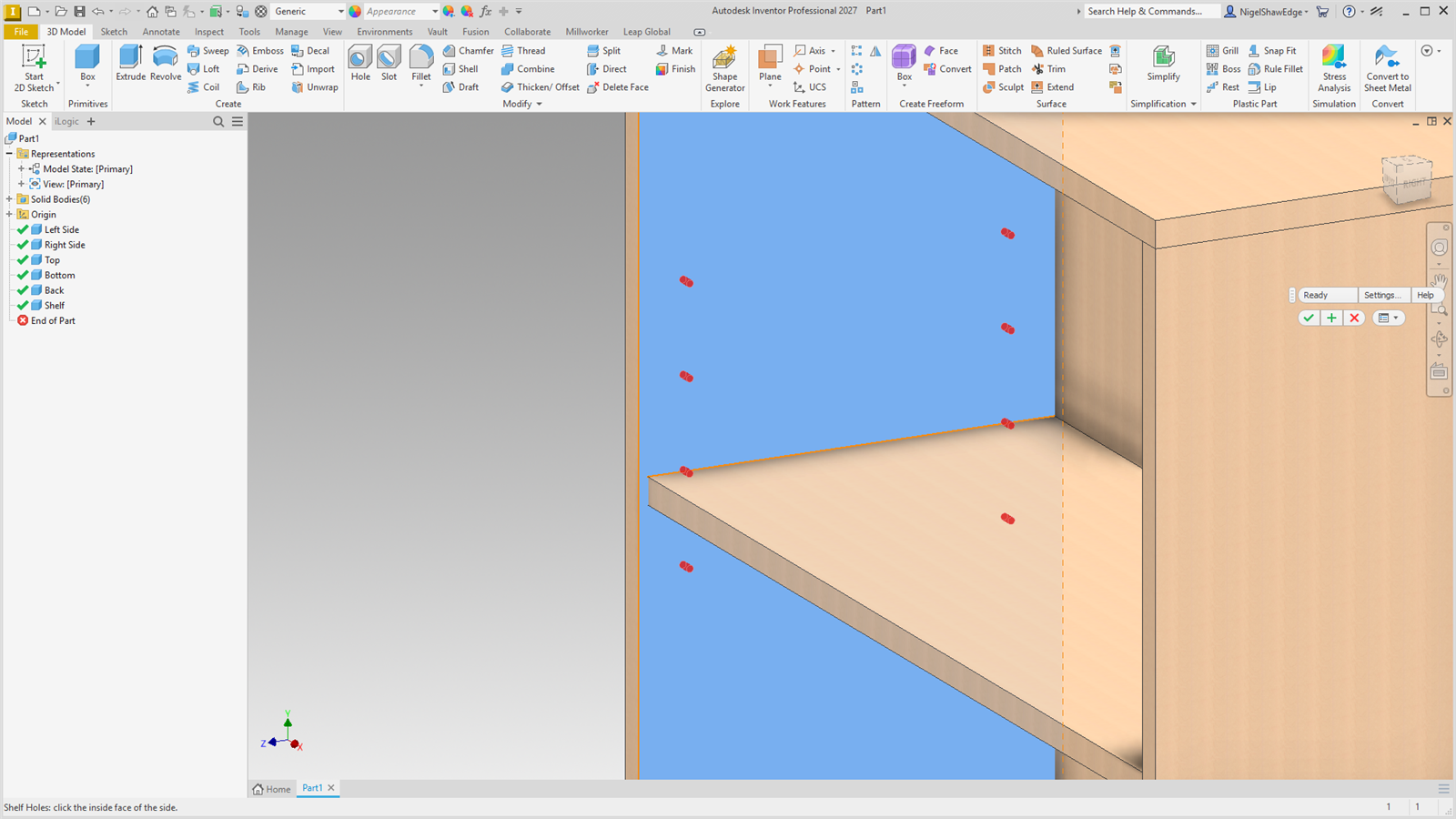
- Click the side's inside face, then its front edge, back edge and the shelf edge (where the shelf meets the side, or the shelf's face against it).
- Choose the rows, holes per row and which way the pattern runs. The holes preview in red.
- Apply or OK.
Screenshot placeholder
images/shelf-holes-preview.png
1600 × 900 px
Cabinet side with an adjustable shelf; face, front, back and shelf edges picked; two rows of red shelf pin hole previews running both ways from the shelf.
Screenshot placeholder
images/shelf-holes-popup.png
1000 × 760 px
Shelf Holes popup: diagram with A–D, rows, holes per row, Up / Down / Both ways, = Ø / 2 button, the red warning when spacing is not a multiple of 32 mm.
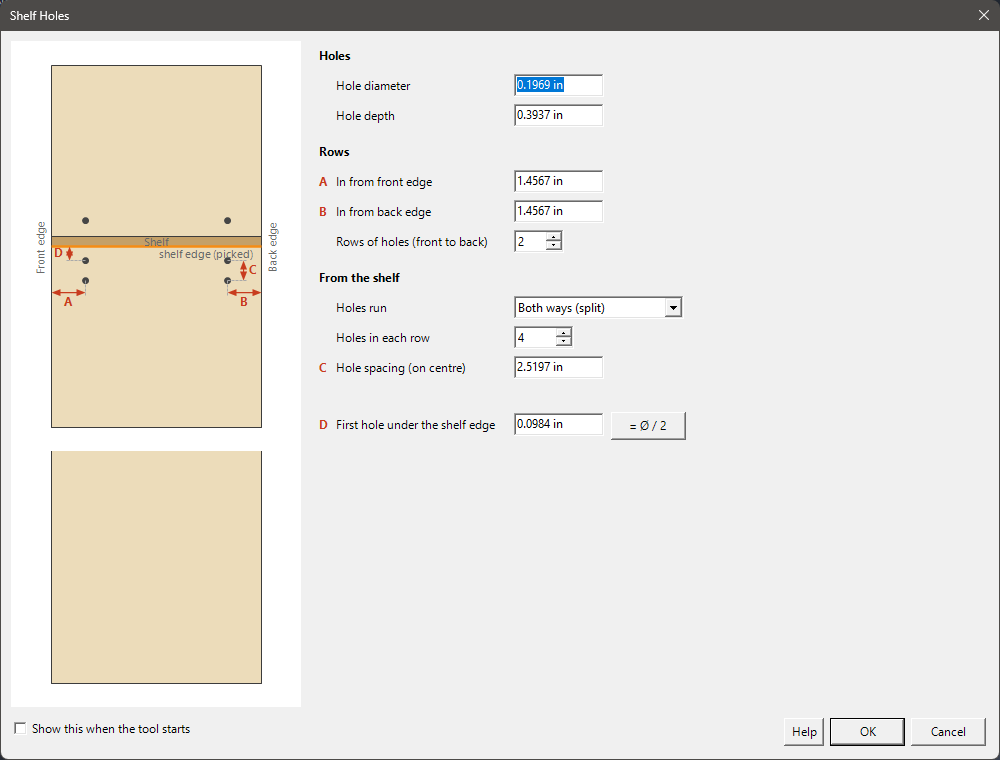
| A, B | In from the front edge and back edge: 37 mm. |
| Rows | 2, or more spaced evenly between. |
| Direction | Up from the first hole, Down from the first hole or Both ways (the odd hole goes up). Up is up in the view when the shelf edge is picked. |
| C | Hole spacing on centre: 32 mm. Any spacing that is not a multiple of 32 mm is flagged red, and OK asks first. |
| D | First hole from the shelf edge: 0 puts it on the shelf line. = Ø / 2 sets half the hole diameter, so the hole's edge just meets the shelf. |
| Hole | 5 mm × 10 mm deep. |
Each centre is dimensioned to the projected edges and the shelf edge, so moving the shelf or resizing the side moves the holes with it. The node keeps its shelf edge. The last sizes used are kept for next time.