 Millworker
 Insert Fastener
Pick a fastener and a hole: it goes into every matching hole in the assembly, skipping holes that already have one.
- An assembly of panels with holes (made with Place Hole, Confirmat, or plain Inventor holes).
- Your fastener in the Hardware Library.
- Hardware panel → Insert Fastener.
One fastener for all the matching holes, in one go.
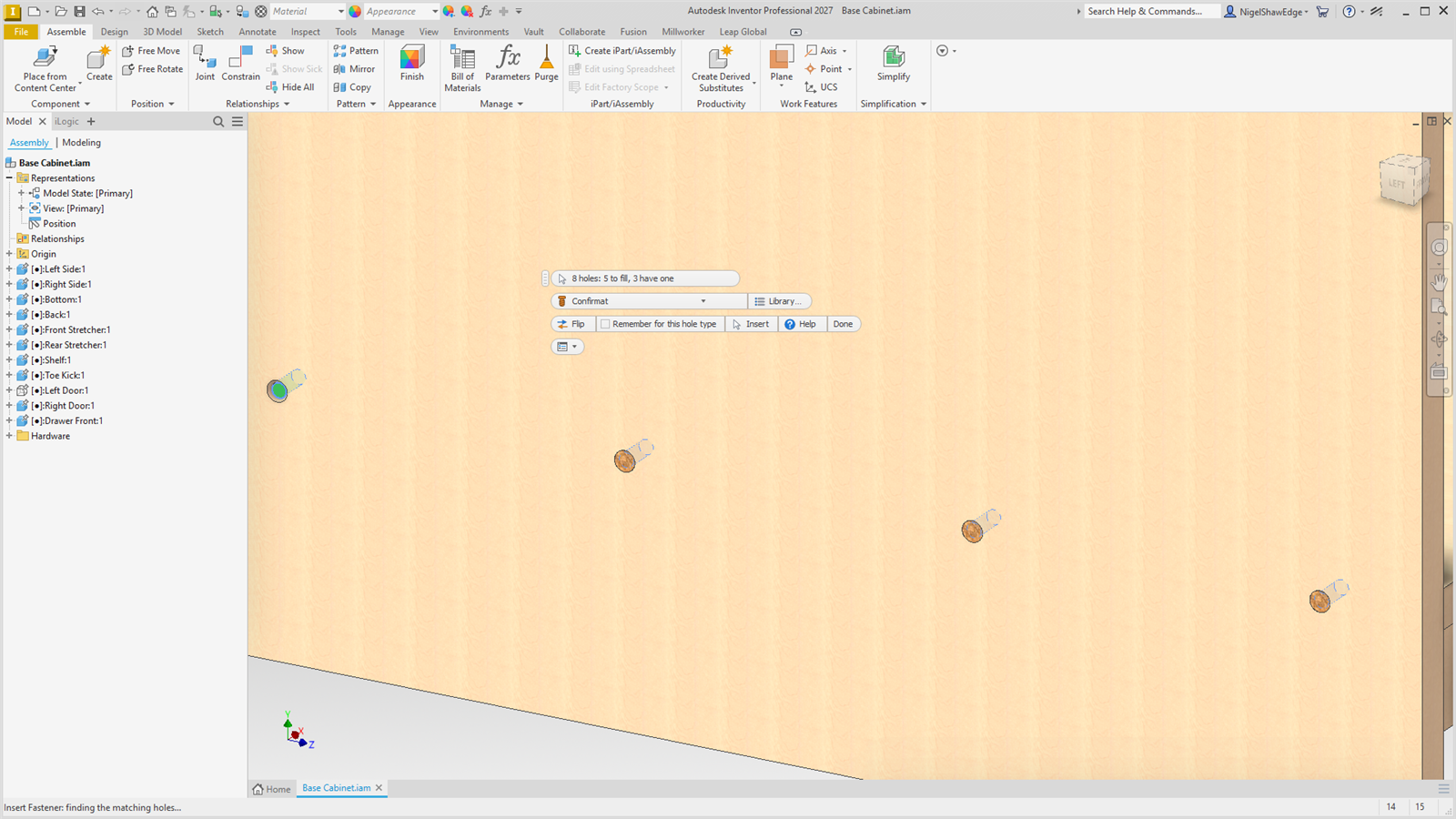
- Choose the fastener in the mini toolbar's list (each part with its category's icon). Library… opens the Hardware Library to add one; the list is read again when it closes.
- Click a hole: its round wall, in any panel, in any sub-assembly.
- Every matching hole in the assembly lights up: green to fill, grey already has a fastener. The status bar gives the count.
- Insert. Click another hole for the next set, then Done (or Esc).
Which holes match
- A hole made with a hole type (Place Hole, Confirmat): every hole of that hole type.
- Any other hole: every hole of the same diameter (within 0.05 mm) and depth (within 0.1 mm), or through like it.
- Patterns and mirrors: when you pattern or mirror a hole made with a hole type (or the Place Hole node itself), every copy counts as that hole type too, so it gets the same fastener.
- Parts made from a base model (Make Components): the holes are read from the base model, so they keep their hole types, patterned copies included.
Holes that already have a fastener
They are skipped, so running it again never doubles up. Hardware Millworker puts in remembers the hole it is in, and any hardware part sitting on a hole's axis counts too. The end message says N inserted, M skipped (already have a fastener).
How the fastener sits
A hole without a hole type that goes right through is filled from its countersunk or counterbored end, the head flush with the face. It goes in as the Hardware Library says: its Direction, Seat offset and Turn, in its model state (or by its MW_Seat iMate when it has one). It is tied to the hole with constraints (its axis to the hole's axis, its origin plane to the panel face), so it follows the panel. When it can't be tied, it is grounded where it was put. The parts go in a Hardware folder in the browser, all as one undo step.
| Flip | The fastener the other way round in the holes. |
| Remember for this hole type | Makes this part the hole type's fastener (Hole Types), so Place Hardware puts it in those holes from now on. Only for holes made with a hole type. |