 Millworker
Help / Fasteners
 Domino
Part
Domino mortises in the side's face and the butting panel's end, for the tenon size you choose.
Set up
- A side and butting panels, as for Dowels.
- Click Domino and choose the tenon size in the toolbar: 4x20, 5x30, 6x40, 8x40, 8x50 or 10x50.
- Pick the side's inside face, its front edge, then each butting panel's face.
- Apply or OK.
Screenshot placeholder
images/domino-preview.png
1600 × 900 px
Side and shelf picked, Domino 8x40 chosen in the toolbar, red mortise previews with rounded ends in the side's face and the shelf's end.
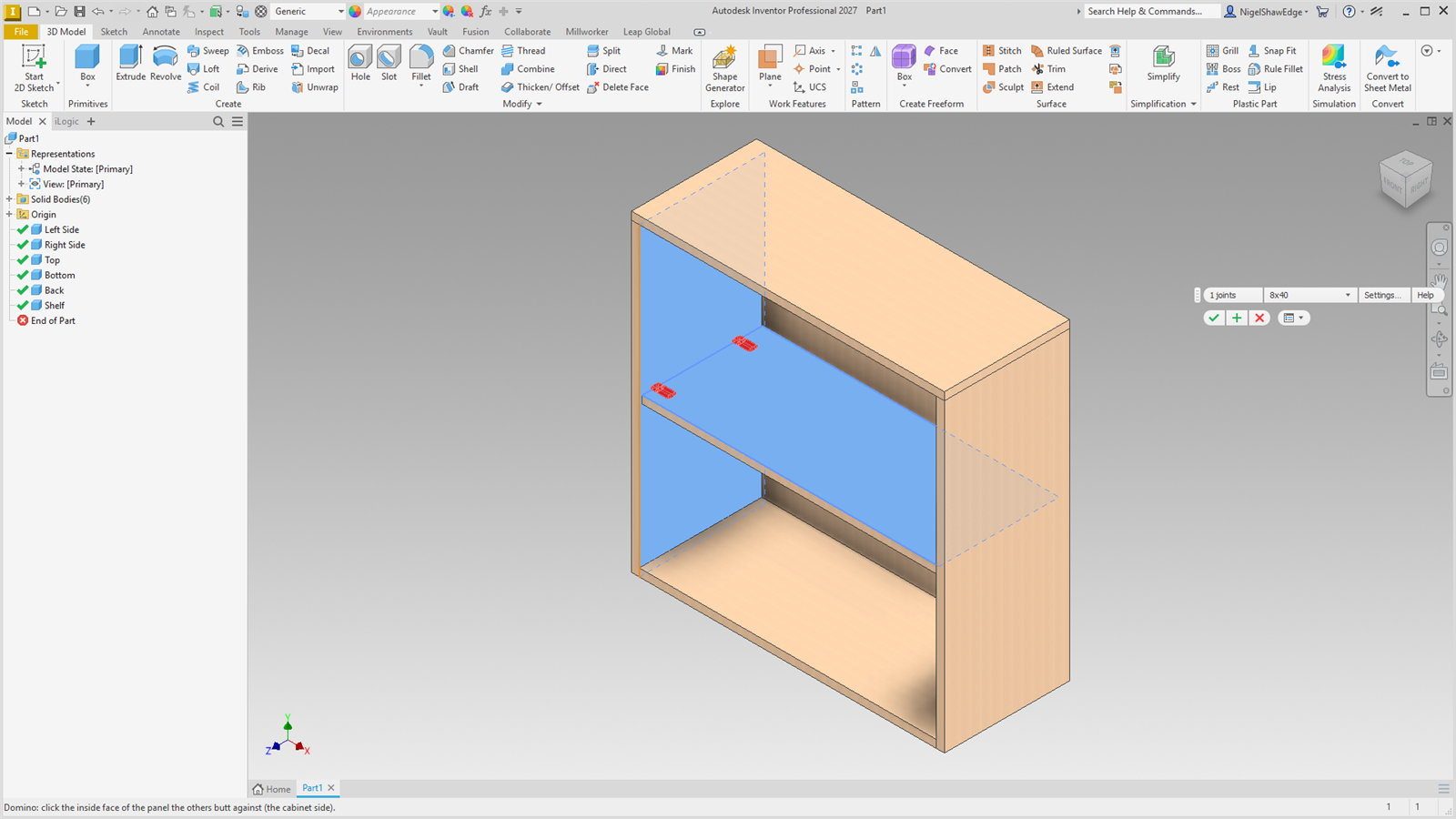
Each mortise is as long as the tenon is wide (the tight setting) with rounded ends. In the face it is 10 to 15 mm deep, so an 18 mm (3/4″) side is not gone through; the rest of the tenon plus 1 mm goes into the end. For 8x40: 12 mm in the face, 29 mm in the end. Layout as for Confirmat.