Millworker
 Callouts
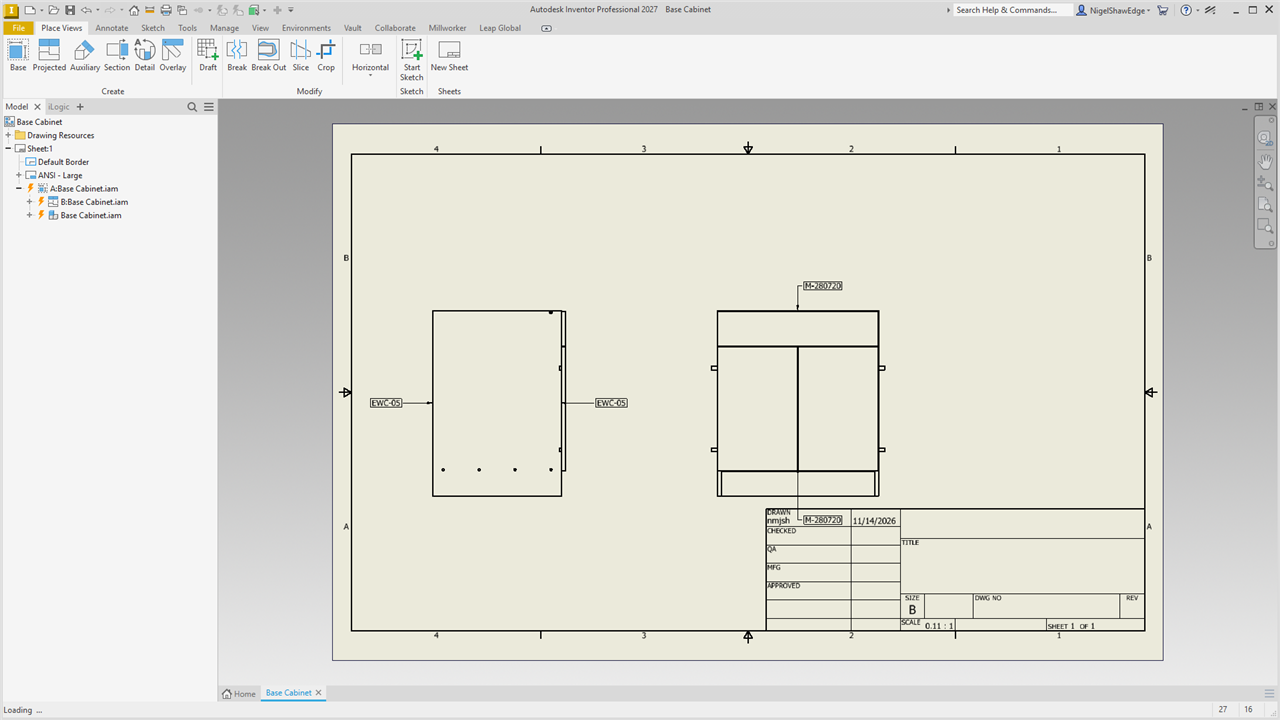
Click an edge in a view: a boxed note with its material, finish, coating, edgeband or veneer code, left or right of the view, that follows the part.
- A drawing with views of Millworker parts or assemblies.
- Callouts panel → Material, Finish, Coating, Edgeband or Veneer.
Click a line of a part in a view. A boxed note with the code goes just outside the view: left or right of it (the nearer side), level with your click, or, when the line you click is horizontal, above or below it (the nearer), in line with your click; and its leader goes to the line where you clicked. Before you click, the status bar says what the line under the pointer would note (or why there is nothing), and a line with nothing to note doesn't light up. Keep clicking for more; Esc finishes. How far out the note sits is Callout distance from the view in Millworker Settings.
| Button | What it notes |
|---|---|
| Material | The project's code for the part's material: the row in the project's MatFin workbook with the material's INNERGY code as its SKU, else the Material Manager's Default code. A material with neither is not noted (the status bar says so). |
| Finish | Two rows, Face 1 over Face 2: the project's code for the finish on the part (from the Finishes tab, or a tab you added): its MatFin row by INNERGY code, else its Default code. The finish put on its face, else its material's face finish. |
| Coating | Two rows, Face 1 over Face 2: the project's code for the coating on the part (from the Coatings tab), as for finishes. |
| Edgeband | The Edgeband code of the band on a face of the edge you click. |
| Veneer | Two rows: the Face 1 code of the veneer on the panel's Face 1 over the Face 2 code of the one on Face 2 (VEN-01 over VEN-02; a veneer on both faces gives its two codes). A face with no veneer of its own shows the other's. |
| Layup | The layup code put on the part in the assembly (Tag Layups). |
The codes are set in the Material Manager and go onto the parts as custom iProperties when you assign: MillworkerMaterialCode, MillworkerFinishFace1Code, MillworkerFinishFace2Code, MillworkerCoatingFace1Code, MillworkerCoatingFace2Code, MillworkerEdgebandCode, MillworkerVeneerFace1Code and MillworkerVeneerFace2Code. The note shows the iProperty itself (linked text), so when the part is given another material or finish the callout changes with it. A part that has no such iProperty yet (assigned before), or whose iProperty holds a different code (a panel with two edgebands, say), gets the code as plain text, looked up in the Material Manager by name. When there is no code, the name is noted; when the edge has nothing to note, the status bar says so and you can click another edge.