 Millworker
 Part Numbers
Number every part in the assembly from project, item, room and a running ID.
- An assembly. Materials panel → Part Numbers, or Project Info → Part numbers tab → Number parts….
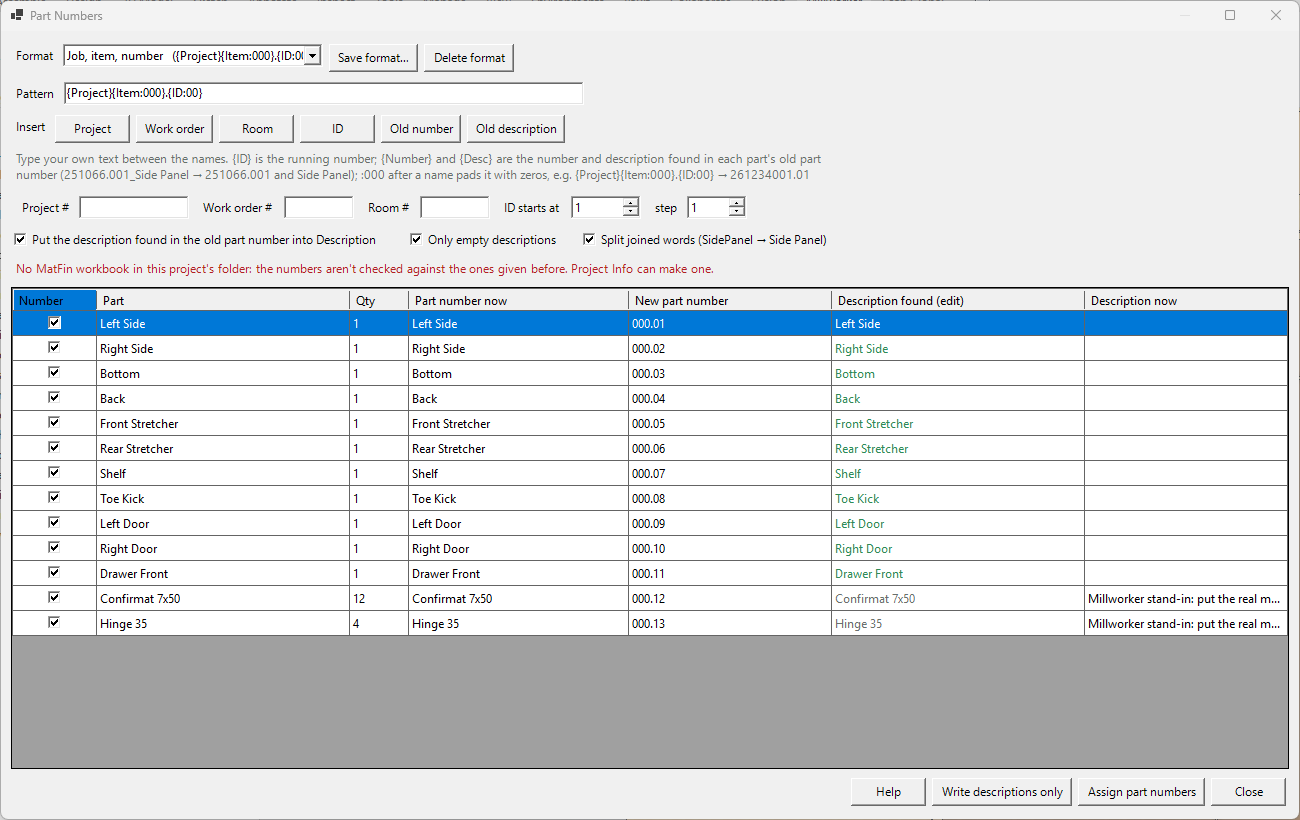
- Fill in the Project, Work order and Room numbers. The project number starts as the one saved on the assembly, else the workbook's (Project Info), else the leading number of the assembly's file name.
- Build the format from those, ID (the running number, from ID starts at by step) and your own text.
:000after a name pads it with zeros. The Work order button puts in{Item}. - Check the grid: each part's number now, the new one, and the description found in its old number. Untick parts to leave them.
- Assign part numbers, then save the assembly and parts.
Example: {Project}{Item:000}.{ID:00} gives 261234001.01 (job 261234, work order 001, then 01, 02…). Save formats by name and choose one from the list. Parts are numbered in browser order; library and Content Center parts are left out.
Descriptions from the old part numbers
Each part's old part number (the one Inventor gave it, usually its file name) is broken into a number and a description: 261055992_SidePanel gives 261055992 and Side Panel; Side Panel_261955.001 gives the same the other way round. Inventor's own names (Part3) give neither. The grid shows the Description found (edit it there before writing) and the Description now.
- Put the description found in the old part number into Description (ticked): Assign part numbers writes it into each numbered part's Description as it gives the new number. Green: it will be written; grey: it won't (hover for why).
- Only empty descriptions (ticked): parts that have a description keep it. Untick to replace them.
- Split joined words: SidePanel becomes Side Panel.
- Write descriptions only writes the descriptions without changing any part number.
- In a format, Old number puts in
{Number}and Old description{Desc}:{Number}.{ID:00}keeps each part's own number with a running number after it.
Never the same number twice
Every number given is logged on the PART NUMBERS sheet of the project's MatFin workbook, with its work order and ID. When you type a work order, ID starts at moves to the next ID after that work order's last one, and the note under the boxes says which that was. A new number that's been given to another part before shows red, and Assign part numbers won't give it: change the ID or the work order. The sheet is read again as the numbers are logged, so a number someone else gave meanwhile is caught too; then nothing is assigned. The workbook is written, so with I use Vault ticked it must be checked out (you can still assign without logging; you're warned). With no workbook in the project folder the numbers aren't checked.