 Millworker
Help / Features
 Dado Edge
Part
A rabbet (edge dado) along panel edges, Width in from the edge and Depth into the face.
Set up
- A part with panels that need a rabbet along an edge, for example the back edges of cabinet sides for a 1/4″ back.
- Click Dado Edge (Features panel).
- Click panel edges, as many as you like. Each previews in red.
- Set Width (in from the edge) and Depth (into the face). The face is the larger face along the edge; Swap cuts into the other one.
- Apply, or click the next body to make this one and carry on, or OK.
Screenshot placeholder
images/dado-edge-preview.png
1600 × 900 px
Cabinet with the back edges of both sides, top and bottom picked, red rabbet previews for a 1/4 in back.
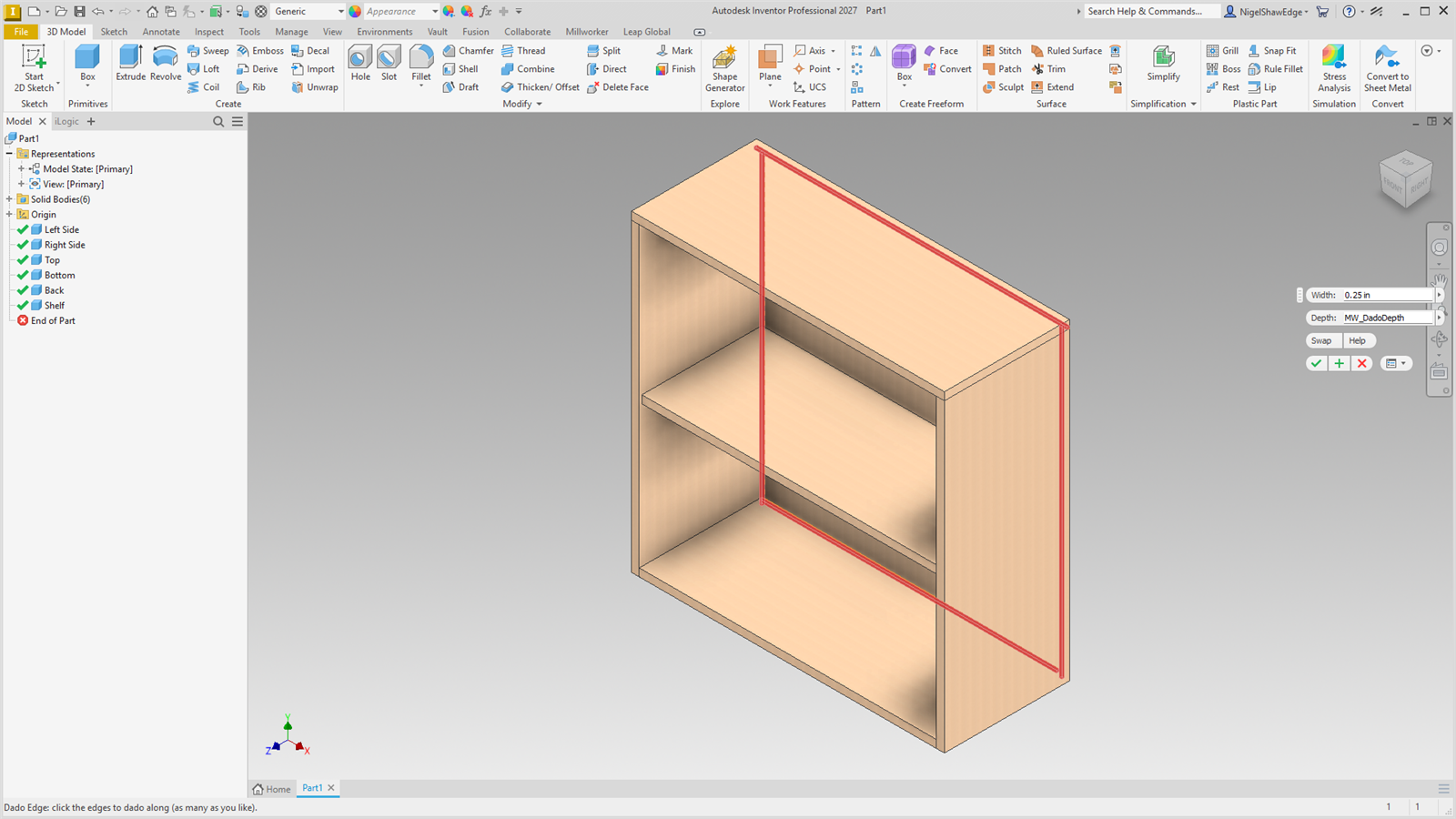
The rabbet's width is MW_PanelDado#_Width + MW_DadoClearance / 2 (a rabbet has one wall). Edges picked together make one DadoEdge node, all driven by the same width and depth; to give one edge its own size, make it in a selection of its own. The sketch is dimensioned from the projected edge, so the rabbet follows the panel.