 Millworker
 Sunburst
Turn a body into slats set out along curves (an arc, or a seat's profile curving either way), the same width all the way, the gaps tapering.
- A part with a body to make into slats: a half-round or arched panel for a sunburst, or a panel cut to a seat's profile; flat for the CNC.
- The curves to set the slats out along, in one plane and joined end to end: arcs and lines, edges of the body or curves in a sketch. One arc gives a sunburst; arcs curving either way, with lines between, give a seat. Not a full circle.
- Click Sunburst (Treatment panel).
- Click the body (only bodies can be picked at first). Then click the curves one after another, in any order (now only edges and sketch curves can be picked); click a curve again to take it back. Body starts again with another body.
- Set the slat Width and the Spacing: the smallest gap anywhere, where the slats come closest. Click Preview to see the slats in blue and what comes out between them in red (it is not worked out while you pick).
- Apply or OK.
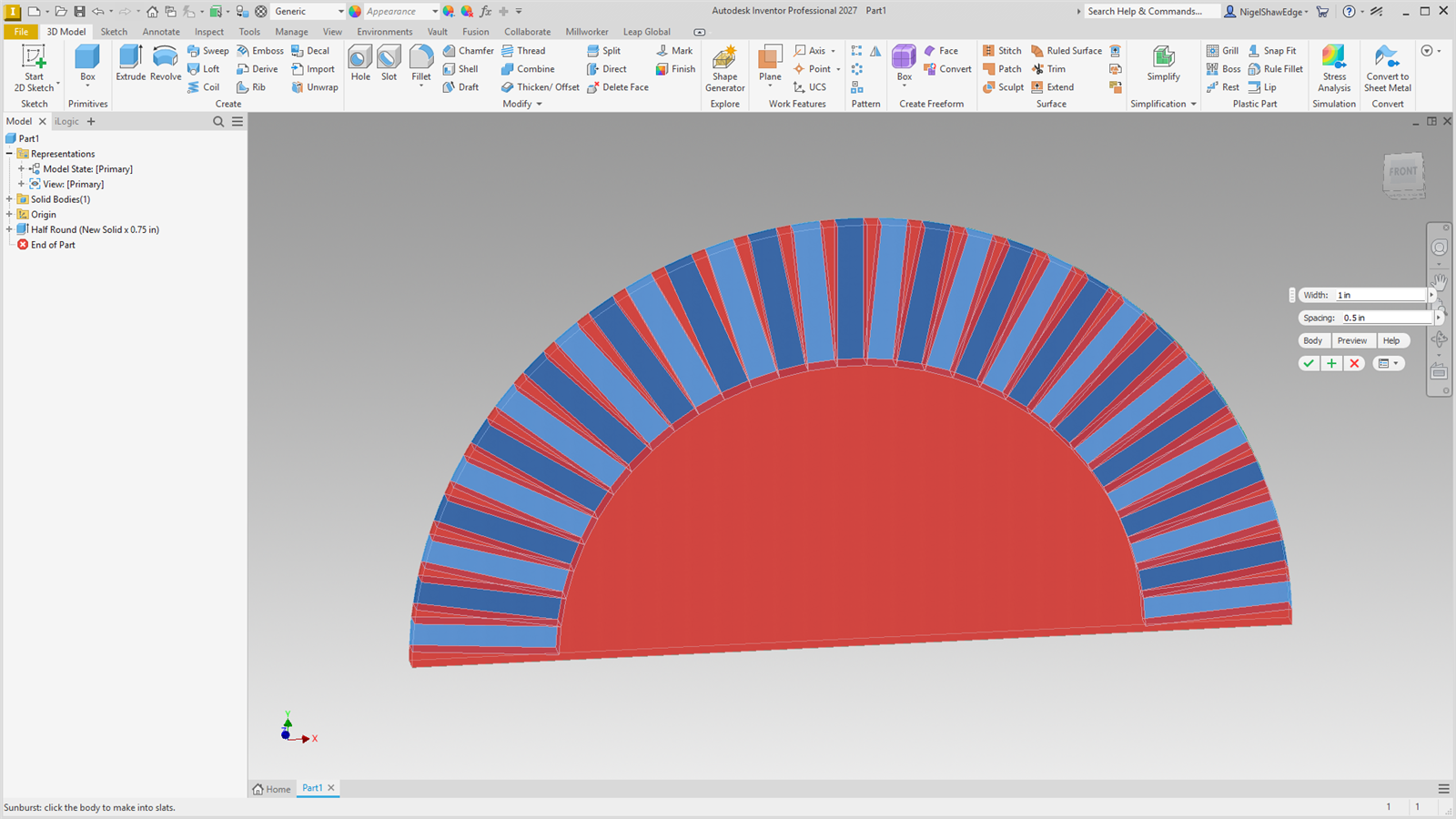
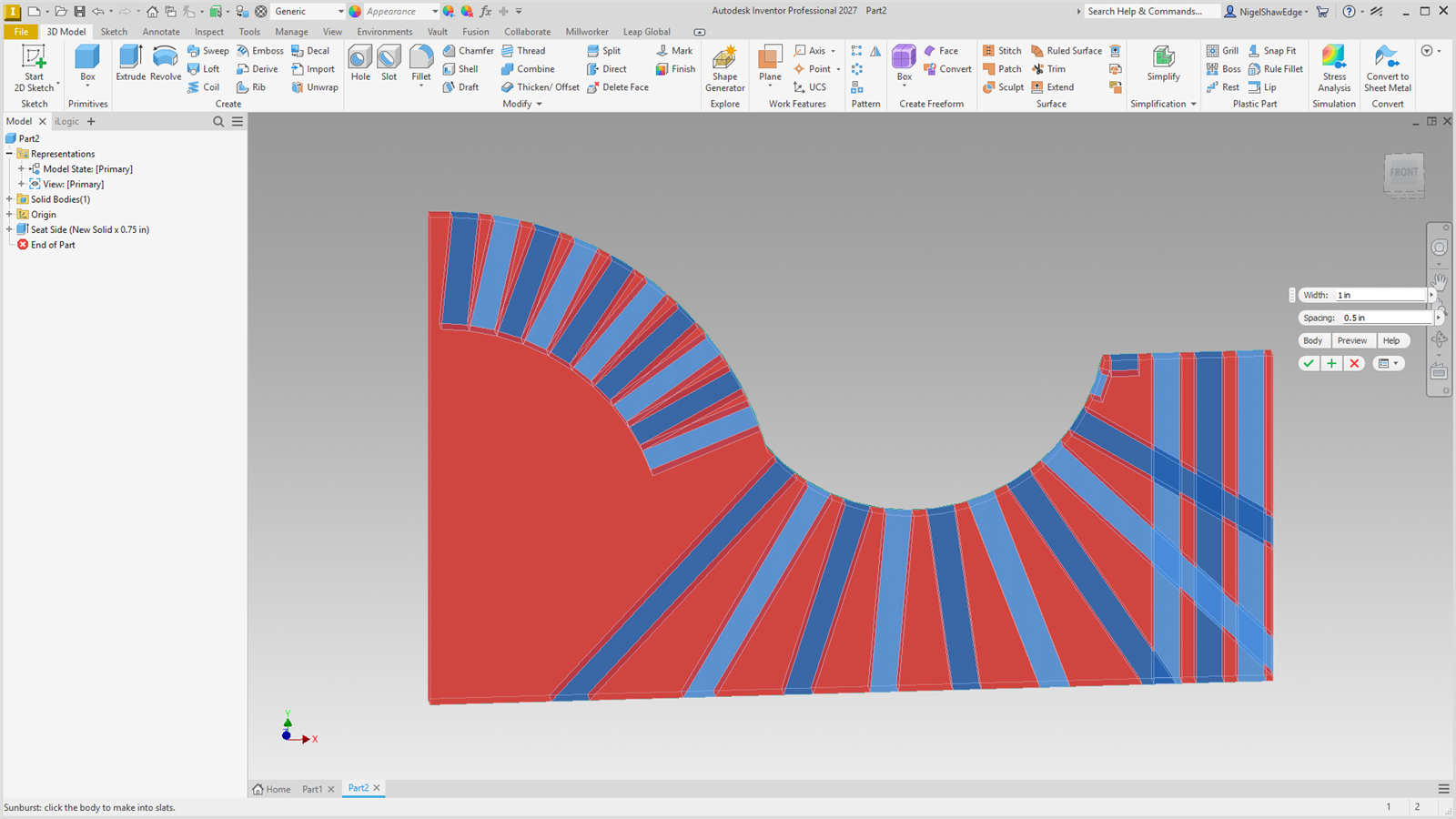
Each slat is square to the curves at its middle and keeps its width all the way along, so the gaps between them taper. Each curve gets its own spacing, set where its slats come closest so they never touch: inside a bend that is the far side of the piece towards the bend's centre (the back of a seat), where the gap is the Spacing, opening out from there; along a line the slats are parallel, the Spacing apart. Each slat sits in the middle of its share of the curve, the lot centred on it. Only when the piece reaches round the bend's centre itself (a sunburst's half-round) are the slats spaced at the curve instead and trimmed off square where they meet.
Each slat is made as a machined one: the piece's section on a construction plane through the slat's middle, extruded the slat's width both ways, so every slat is flat with square edges. The piece itself becomes the first slat; each slat is a body of its own (body Slat 1, Slat 2 and so on). The planes, sketches and slats are all in the Sunburst node. Parameters: MW_Sunburst#_Width and _Gap; for each arc _P#Inner (how close the piece comes to its centre, measured when made), _P#Pitch (the angle between slats, worked out from them), _P#Sweep and _P#Ref; for each line _P#Length and _P#Ref. The slats are counted when made, so a new width or spacing makes them again: double-click the node (the piece shows again while the tool is open, and Cancel puts the slats back).