Millworker
Help / Getting started
How the tools work
Mini toolbars, picks, see-through previews, Apply and OK, and the Millworker node each tool makes.
Every part tool works the same way, so once you know one you know them all.
The mini toolbar
Starting a tool opens a small toolbar beside the model. It is stacked: one value to a row, with buttons on rows of their own, so it never runs across the screen.
Screenshot placeholder
images/mini-toolbar-anatomy.png
360 × 480 px
Any tool with several values open, for example Dado Edge or LED Channel. Crop tightly to the mini toolbar alone.
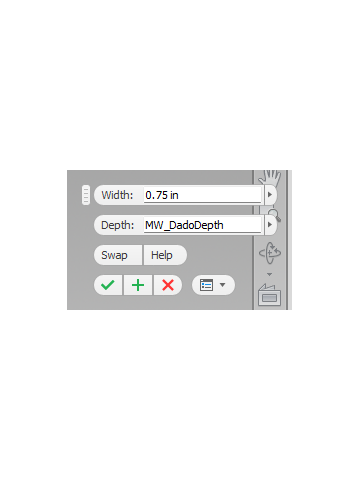
- Next pick: the label with a pointer says what to click next.
- Value boxes show their name inside (Width:, Depth:…). They take a number, an expression or a parameter name; the arrow lists the part's parameters.
- Buttons such as Settings…, Flip, Swap, Rotate 90° and Clear show icons.
- X, Y, Z toggles in red, green and blue choose a direction; the pressed one is in use.
Pick, preview, commit
- Pick what the label asks for. Click a picked item again to take it back. Most tools take as many picks as you like.
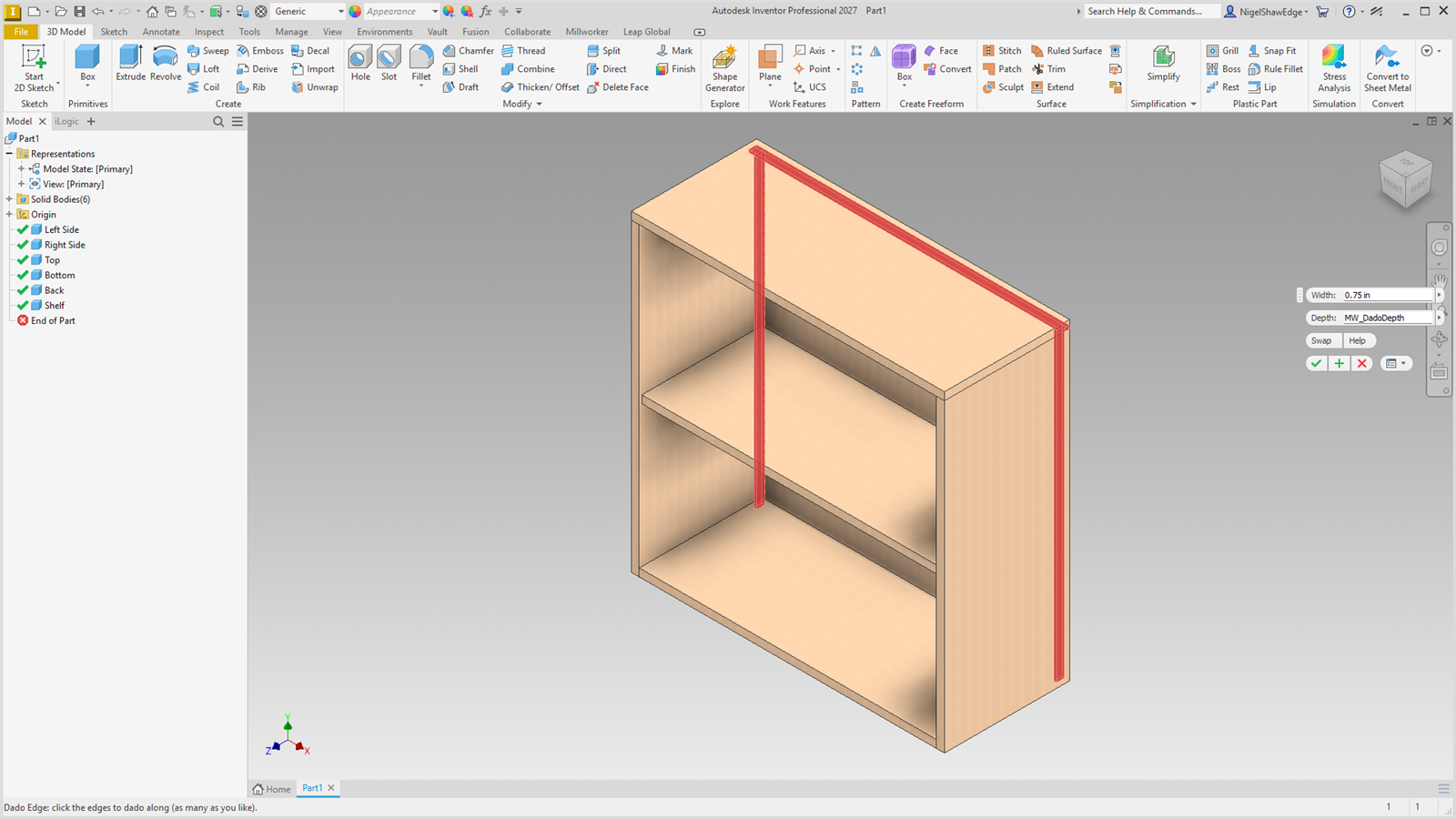
- A see-through preview shows what will happen: red for material taken away, orange for extras such as CAM corners, blue for new bodies. It is drawn on top of the model, so you see a cut even inside a panel, and it follows each value as you type.
- Apply makes it and keeps the tool running for the next joint. OK makes it and closes the tool. Cancel or Esc drops the preview and makes nothing.
Screenshot placeholder
images/mini-toolbar-preview.png
1600 × 900 px
Dado Edge with three panel edges picked: red rabbet previews on each, value boxes showing Width and Depth.
Each Apply or OK is one undo step.
The Millworker node
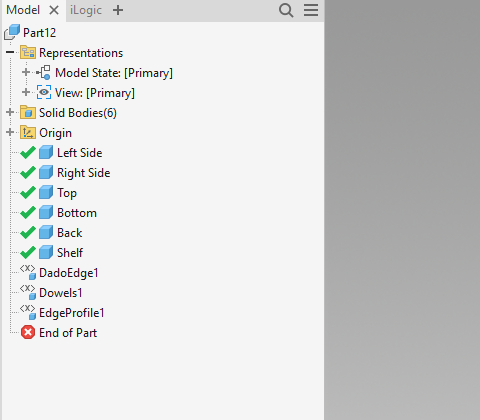
What a tool makes is grouped into one node in the model browser, with the tool's icon and a name such as DadoEdge1 or Dowels3. Double-click it to change it: see Editing a Millworker node.
Screenshot placeholder
images/mini-toolbar-nodes.png
480 × 420 px
Model browser of a part with several Millworker nodes (DadoEdge1, Dowels1, HingeHoles1, ShelfHoles1, EdgeProfile1), each with its icon. Crop to the browser.