 Millworker
Help / Joins
 Halving
Part
Halve two crossing bodies into each other, with clearance and CAM corners, and keep it parametric.
Set up
- Two bodies that cross, such as an egg-crate divider or two lapped boards, running with the part's axes.
- Click Halving.
- Click the first body (it loses the part above the mid plane), then the second (it loses the part below). The cuts preview in red.
- Turn steps the cut through the other directions if the first is not the one you want.
- Leave CAM corners ticked to clear the inside corners for the CNC cutter (orange in the preview).
- Apply or OK.
Screenshot placeholder
images/halving-preview.png
1600 × 900 px
Two dividers crossing in an egg-crate, both picked, red halving slots and orange CAM corners in the preview; mini toolbar showing Turn and the CAM corners tick box.
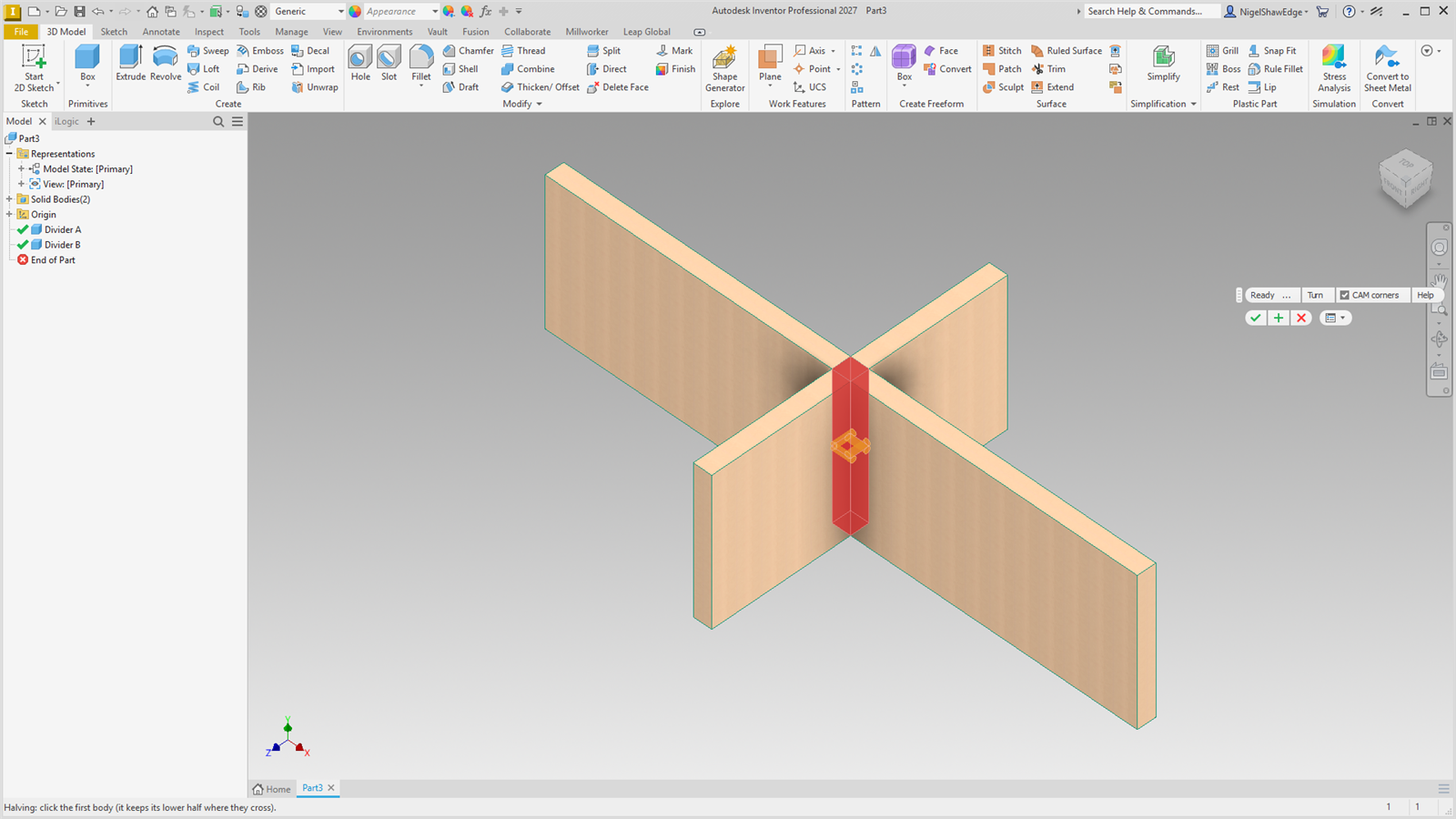
The mid plane first goes the way both bodies run right through the crossing, so neither is left with a groove. Each side of the slot sits MW_DadoClearance / 2 out from the other body's face. The halving follows when either body is resized or moved.